
KicksDB releases Shopify integration
You asked, we built. For months, one of the most common requests we've gotten is a way to connect KicksDB's data directly to your Shopify stores. That's now a reality — introducing the Official KicksDB Shopify Integration.
Whether you run a single boutique or several resale stores, this update takes the repetitive work off your plate so you can spend more time on what actually matters: sourcing and growing.
What's Included?
1. Multi-Store Management
Connect multiple Shopify stores to one KicksDB dashboard and push inventory to all of them at once — no more switching between accounts.
2. Instant Product Listings
Stop entering product data by hand. KicksDB now pulls verified information from StockX and GOAT to automatically create your Shopify listings — high-res images, descriptions, and SKU details included.
3. Flexible Sync Rates
Prices move fast. Set how often you want your inventory and pricing to refresh, and KicksDB handles the rest:
- 24 Hours — Good for steady, slower-moving inventory.
- 4 Hours / 1 Hour — Better for higher volume.
- 15 Minutes — For volatile markets where every minute counts.
4. Visual Markup & Shipping Rules
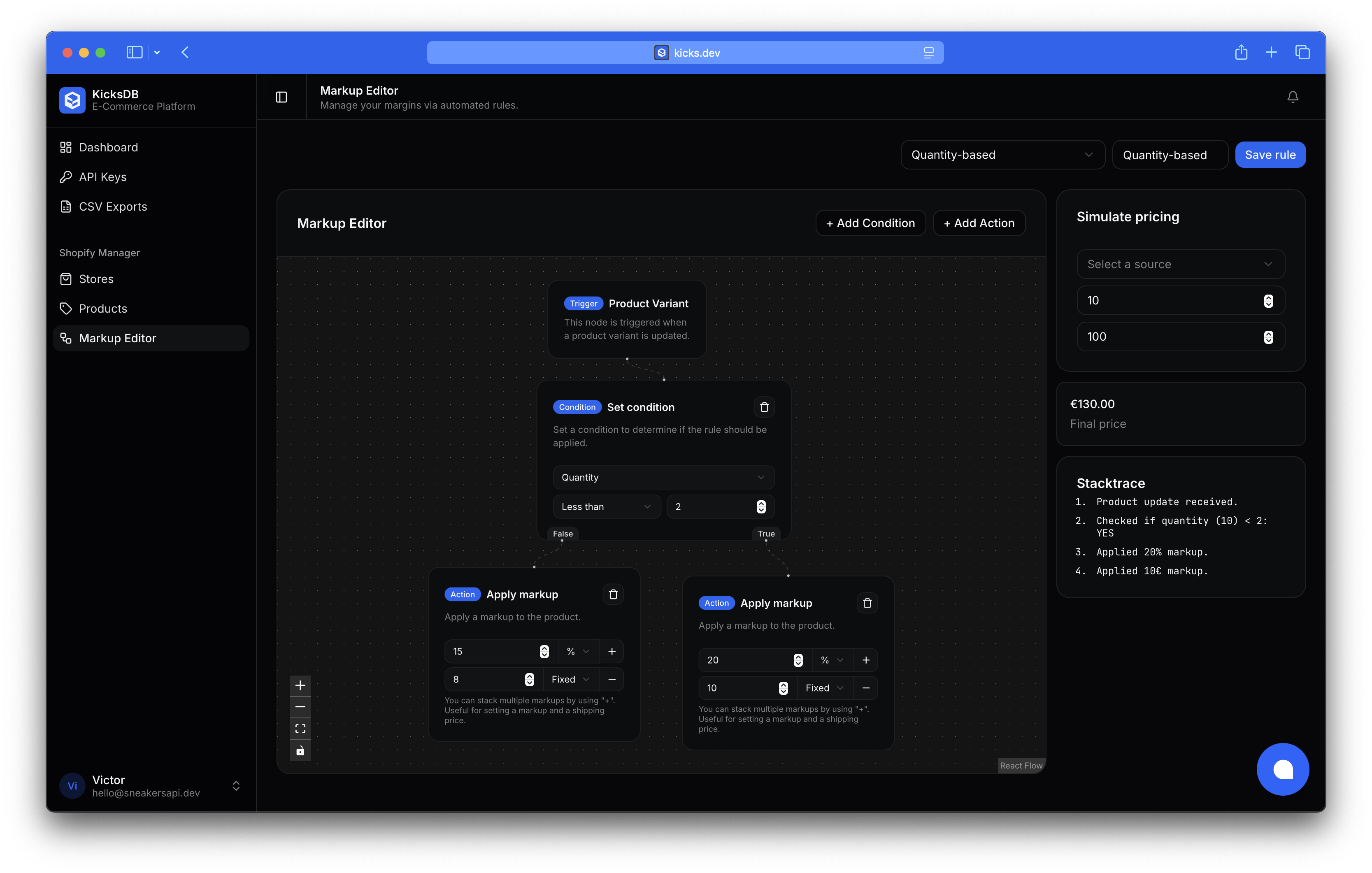
Pricing isn't one-size-fits-all. The new node editor lets you build out your margin logic visually — add fixed or percentage-based markups, and manage your shipping rates the same way.
Pricing
You only pay for the sync frequency and volume you actually use.
Sync Rate Costs
| Sync Frequency | Monthly Cost Per Product |
|---|---|
| 24 Hours | 0.05€ |
| 4 Hours | 0.10€ |
| 1 Hour | 0.20€ |
| 15 Minutes | 0.50€ |
- Additional stores: 10€/month per store.
What's Included in Your Current Plan
Already a KicksDB subscriber? Here's what you get out of the box:
- Starter: 1 store included, plus 10 products on 24h sync.
- Pro: 3 stores included, plus 150 products on 24h sync (or equivalent, e.g. 15 products on 15min sync).
Getting Started
We're not going through the Shopify App Store for now — this keeps things leaner and gives you a faster, more direct connection.
To link your store:
- Go to your KicksDB dashboard.
- Click Shopify in the navigation.
- Hit Connect a store and follow the setup guide.
Ready to automate your inventory? Head to your dashboard and connect your first store today.